
Kling 4.0: Release Date, Features, and Prompt Guide (2026)
Kling 4.0 release date, confirmed features, and prompt tips. See what is in early access, what is coming soon, and how to plan your video workflow.
TL;DR
Kling 4.0 is Kuaishou Kling AI's announced next-generation video model. As of September 29, 2026, Kling says the full Kling 4.0 launch is planned for October; Kling 4.0 Flash has limited early access for Ultra Yearly subscribers.
| Question | Confirmed answer |
|---|---|
| When is Kling 4.0 coming out? | Kling announced an October 2026 launch; it has not named a public launch day. |
| What is available early? | Kling 4.0 Flash early access for eligible Ultra Yearly subscribers. |
| What can the full model do? | Up to 30-second generation, up to 10 keyframes, richer multimodal references, and expanded audio-visual control are among the announced capabilities. |
| Is every announced feature live? | No. Kling marks 10-bit HDR and video extension as coming soon. |
Last checked: September 29, 2026. Availability and specifications can change as Kling rolls the model out.
What Is Kling 4.0?
Kling 4.0 is the next generation of Kling AI's video model from Kuaishou. The announcement positions it around three connected parts of video making: more directed motion, richer image and video references, and longer scenes that can carry a beginning, a turn, and an ending.
That framing matters more than a list of resolution numbers. A creator planning a 30-second scene needs to control how action develops over time. A product team may care more about binding a reference image to the product's appearance. A dialogue-led short needs sound and performance to feel connected. Kling 4.0's announced features point toward those more complete briefs.
The model name is already appearing in search results and third-party guides, but release status matters: Kling's September 28 announcement says the full Kling 4.0 is coming in October 2026. Kling 4.0 Flash is the version with limited early access now. It is useful to distinguish the two when comparing availability or reading feature claims. Read Kling's announcement and Kling's release notes.

Official Kling 4.0 showcase still. The image illustrates the model announcement; it is not a result generated from a prompt in this guide.
Key Takeaways
- Kling announced an October 2026 general launch; Flash has limited early access.
- The headline workflow changes are longer single-generation scenes, more keyframe control, and richer mixed references.
- 10-bit HDR and video extension are announced as coming soon, so check availability before planning around them.
- A clear brief still matters: specify the subject, action, camera, key moments, reference roles, and sound only where relevant.
Kling 4.0 Release Date: What Is Available Now?
The clearest answer to “When is Kling 4.0 coming out?” is the one in Kling's announcement: October 2026. The announcement does not specify a day for general release. On September 28, Kling said Kling 4.0 Flash early access was available to Ultra Yearly subscribers. That is a limited-access release, not the same thing as general availability of the full Kling 4.0 model.
The distinction is easy to miss because release-date pages often turn a month into an exact date or describe early access as a public launch. Neither conclusion follows from the announcement. For planning purposes, check Kling's release notes and account eligibility close to the date you intend to use the model.
There is another important distinction for anyone comparing third-party tools: a website showing a “Kling 4.0” page or selector does not by itself prove that it is connected to Kling's official 4.0 model. Check the product's actual model access, settings, and terms. The official announcement describes Kling's model and its own early-access availability; it does not certify third-party integrations.
Kling 4.0 Features: Confirmed, Early Access, and Still Coming
Kling's announcement describes a broad set of Kling 4.0 capabilities. Some are presented as core features; others are explicitly marked as future availability. That status split is more useful than repeating every headline specification as though it were live today.
| Capability | What Kling announced | Status note |
|---|---|---|
| Longer scenes | Single-generation video up to 30 seconds, with up to 10 keyframes | Announced for Kling 4.0; confirm availability in the selected workflow |
| Multimodal references | Up to 15 reference inputs across images, videos, and subjects | The release describes limits of up to 10 images, 5 videos, and 7 subjects; these are input-type limits, not 22 interchangeable references |
| Audio and performance | Higher-quality stereo audio and more accurate lip sync | Announced capability; output can still depend on the prompt and generation settings |
| Prompt length | Up to 8,000 tokens | Announced maximum, not a recommended prompt length |
| Video editing | Text, image, and subject inputs for modifying an existing video | Described in the official overview; access may depend on rollout |
| 4K / 10-bit HDR | Professional-format output | Kling marks 10-bit HDR at 1080p and 4K as coming soon |
| Video extension | Continue a video over multiple generations, up to two minutes | The announcement says the extension feature is coming soon |

Official Kling 4.0 showcase still; this visual illustrates the announcement and is not a benchmark result.
The reference limits need a careful read. Kling describes a maximum of 15 multimodal references and separately lists up to 10 images, 5 videos, and 7 subjects. Those category numbers should not be added together as if 22 items can be submitted in one request.
The same caution applies to 4K and HDR. They are part of the announced direction, but the source marks 10-bit HDR as coming soon. If you need a production deliverable today, verify the output options shown in your account rather than assuming every announced format is already selectable.

Official Kling showcase material. A reference-led workflow is most useful when a particular subject, design, or visual identity must stay recognizable.
What Kling 4.0 Changes for Video Creators
Plan a scene, not just a single image that moves
Short clips often work well with one subject, one action, and one camera move. Longer generation changes the brief: you can describe an opening, a middle action, and a closing beat, then use keyframes to indicate where important visual states should occur. That does not guarantee perfect continuity, but it gives the model clearer temporal landmarks than a paragraph of unstructured ideas.
For a continuous shot, write what stays in frame and how the camera behaves. For a multi-beat scene, label the important moments and avoid asking several unrelated actions to happen at once. Kling's announced 30-second maximum and 10-keyframe control are most relevant when the story needs more room than a quick social cut.
Official motion showcase still. When planning a dynamic shot, describe the subject's movement and the camera path separately.
Give each reference a clear job
More reference inputs only help when the model can tell why each one is there. In a product video, one image might define the package design, another the setting, and a short reference video the movement. State those roles in the prompt instead of uploading a pile of material and expecting the model to infer priorities.
For character-led scenes, make the identity anchor explicit and describe what is allowed to change: pose, expression, costume, or environment. For product shots, call out details that must remain stable, such as label placement, shape, and color. Then request one visible action. This keeps the creative brief testable and makes revisions easier to diagnose.
Treat sound and performance as part of the shot
If a scene depends on spoken dialogue, timing, or a sound cue, include it in the plan. Specify who speaks, the line, the emotion, and any important ambient sound. Keep visual direction separate from sound direction so that a later revision—such as changing the camera while keeping the dialogue—does not rewrite the entire brief.
Kling has announced stronger stereo audio and lip-sync performance for Kling 4.0. These are capabilities to evaluate with real examples, not guarantees that every generated take will match dialogue perfectly. Always listen to the result and check mouth movement before using a clip in a finished edit.
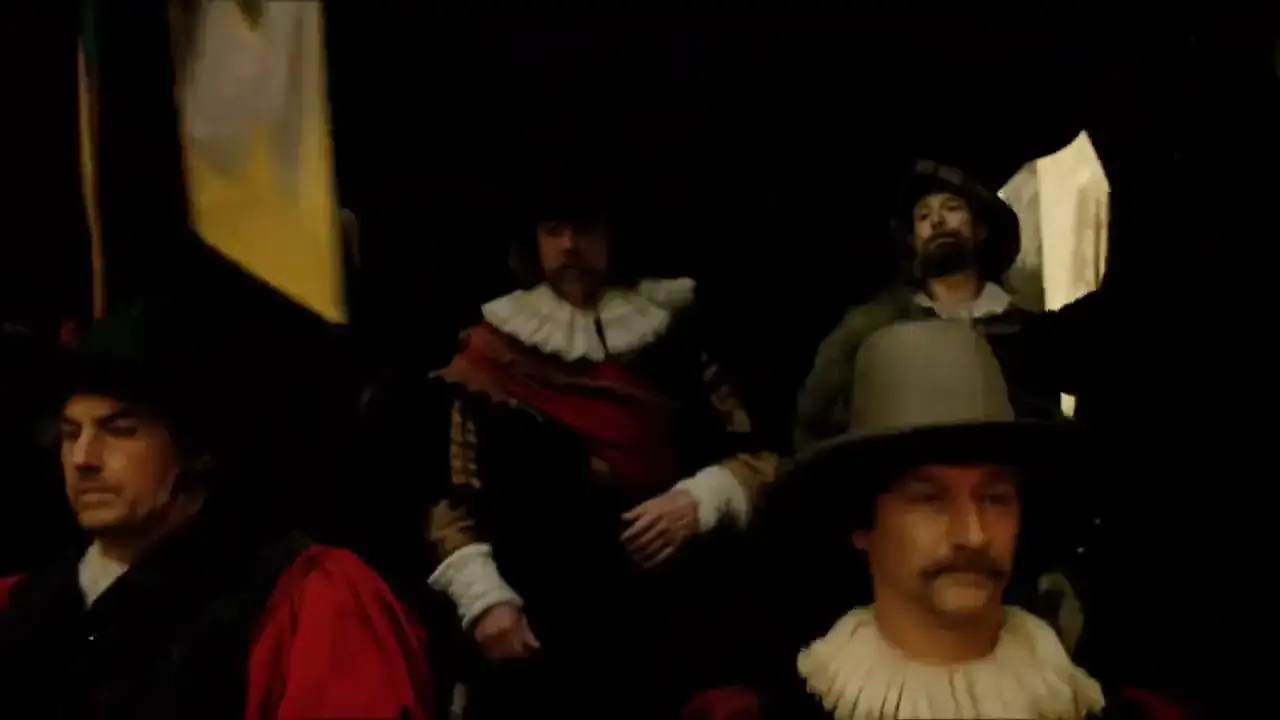
Official Kling audio-visual showcase still. Review generated dialogue and sound in the actual output before delivery.
A Practical Kling 4.0 Prompt Formula
A useful starting structure for Kling 4.0 is:
Subject + action + setting + camera path + key moments + references + sound
You do not need every part for every clip. Start with the elements that define the shot, then add only the constraints that affect the outcome.
Continuous action prompt
A cargo ship pushes through a night storm. One continuous wide tracking shot moves from behind the stern to the port side as a wave breaks across the deck. Keep the ship's silhouette and deck lights consistent. Cold rain, wind, and deep ocean ambience; no music. End with the ship emerging into a calmer patch of water.
Reference-led product prompt
Use the uploaded bottle image as the exact product reference. Keep the label, cap, proportions, and glass color unchanged. On a warm stone counter, a narrow band of window light moves across the bottle as the camera makes a slow, steady push-in. Quiet room tone, no voiceover. Preserve the product design throughout.
Keyframe-led character prompt
Keep the lead character's face and red jacket consistent with the reference. Opening: she waits beneath a station clock. Middle: she notices someone across the platform and turns. Ending: the train passes between them, briefly filling the frame. Use a slow lateral camera move; station ambience rises, then fades.
These prompts are examples for structuring a brief, not verified Kling 4.0 benchmark results. Start with one generation goal, compare the output against the brief, and revise one variable at a time: motion, framing, reference role, or sound. That is more informative than changing every part of the prompt between attempts.
Kling 4.0 vs Kling 3.0: How to Compare Them Fairly
The most concrete differences in the current announcement are workflow-related: Kling 4.0 is described with longer single generations, up to 10 keyframes, richer multimodal references, and expanded video editing. Those capabilities may matter if your workflow needs a longer scene or more control over the source material.
Avoid assuming that a higher version number automatically means every shot will look better. The official announcement is not an independent benchmark, and results can vary with the task, input quality, settings, and access tier. For a practical Kling 4.0 vs Kling 3.0 comparison, use the same prompt and reference material where possible, record the model tier and settings, and judge continuity, subject consistency, motion, and sound separately.
Also compare what is available to you—not only what is announced. A feature listed for Kling 4.0 may be in early access or marked coming soon, while a mature Kling 3.0 workflow may be immediately usable for your deadline.
Frequently Asked Questions
When is Kling 4.0 coming out?
Kling announced that Kling 4.0 is coming in October 2026. The announcement checked for this guide did not give a specific public launch day. Kling 4.0 Flash had limited early access for Ultra Yearly subscribers as of September 28, 2026.
Is Kling 4.0 available to everyone?
Not according to the September 28 announcement. It describes Kling 4.0 Flash early access for Ultra Yearly subscribers and says the full Kling 4.0 is coming in October. Check Kling's current release notes for later changes.
How long can a Kling 4.0 video be?
Kling's announcement describes single-generation videos up to 30 seconds. Video extension up to two minutes is a separate capability and is marked as coming soon in the announcement.
How many references and keyframes does Kling 4.0 support?
The announcement lists up to 10 keyframes and up to 15 multimodal references. It gives separate maximums of 10 images, 5 videos, and 7 subjects, so do not add those category limits together.
Does Kling 4.0 support 4K and HDR?
Kling has announced 4K and 10-bit HDR output, but its announcement marks 10-bit HDR at 1080p and 4K as coming soon. Confirm the options available in your account before planning a delivery around them.
What is the best prompt format for Kling 4.0?
Start with the subject and action, then add the setting, a single camera instruction, and any reference or sound constraints that matter. For longer scenes, label the opening, middle, and ending beats and use keyframes for visual moments that must land at specific points.
Where can I see Kling 4.0 examples?
Kling's official announcement and showcase materials are the primary sources for its examples. You can also browse the Kling 4.0 guide and official showcase clips on Kling4pro.com. The showcase clips are official model examples; they are separate from the original prompts in this article.
For practical prompts, see our Kling 4.0 prompt guide. To understand the version changes, read Kling 4.0 vs Kling 3.0.
Sources and Update Note
- Kling AI's Kling 4.0 announcement
- Kling AI release notes
- Official Kling AI showcase article
- Independent coverage of the September 28 announcement
This guide was last fact-checked on September 29, 2026. We will update the availability notes when Kling publishes a new release status. For now, explore the Kling 4.0 overview and official examples.
작성자

더 많은 글

Kling 4.0 Prompt Guide: 8 Prompts for Directed Video
Kling 4.0 prompt guide with eight templates for action, keyframes, image references, dialogue, and longer video scenes.
Google Veo 3.1 Lite: Half the Cost of Veo 3.1 Fast, Same Speed
Google launched Veo 3.1 Lite on March 31, 2026 — the most affordable model in the Veo family at $0.05/sec for 720p. Here's what it can do, what it can't, and whether it's right for your workflow.
Veo 3.1 Lite Prompt Guide: 20+ Ready-to-Use Prompts for Cinematic AI Video
Learn exactly how to prompt Veo 3.1 Lite for cinematic results. Covers shot types, camera movement, audio, and 20+ copy-paste prompts across genres — no fluff.