LogoKling 4.0 AI
  • Create
  • Agent
  • AI Image
  • AI Video
  • Pricing
發佈於August 2025

Qwen Image 2 Generator

Generate crisp, high-fidelity finished outputs, prompt-driven creative direction, and a one-of-a-kind visual identity using this hosted Qwen image generation tool. Designed for targeted image-to-image edits and exacting negative-prompt tweaks, it outperforms leading competitors like GPT-4o, FLUX, and Seedream.

載入中...

提示詞:

auto

1:1

5:2

16:9

9:16

4:3

3:4

模型:
解析度

載入中...

場景範例 1
Boost Your Creative Outputs With Qwen Image 2

Craft Crisp, High-Resolution Prompt-Led Images Using Qwen Image 2 Right on This Page

Begin with a thorough prompt, add a reference image only if it will meaningfully shift your final outcome, then refine the piece to lock in a crisp, high-resolution finished appearance.

01

First, Outline Your Core Image Vision

Note down your core subject, intended layout, desired materials, and exact visual tone for your final artwork.

02

Add a Reference Image Only When It’s Truly Necessary

Only include a reference photo if product branding, pose, or scene tone must align exactly with an existing source asset.

03

Confirm Your Resolution Once Your Vision Is Finalized

Launch the high-resolution render only after your subject, color palette, and layout align with your intended creative direction.

Core Strengths of Qwen Image 2

What Sets Qwen Image 2 Apart as a Prompt-Led Hosted Image Generator

Qwen Image 2 shines when one clear prompt leads most of your creative planning, final outputs need to retain sharpness at higher resolutions, and you prefer a one-of-a-kind visual style compared to competing models like GPT-4o, FLUX, and Seedream.

High-Resolution Outputs Without Complex ComfyUI Configuration

Qwen Image 2 is ideal for images that need to stay crisp at 1792x1024 or 2048x2048, while maintaining an intuitive, prompt-led workflow.

This makes it an ideal fit for product concepts, presentation deck visuals, and refined review photography.
You can retain crisp detail without curating a large library of reference images ahead of time.
It performs optimally when a single image needs to clearly communicate a full creative vision.

Model strength

Media example pending. This block highlights the model behavior the page is describing.

A Streamlined Image-to-Image Editing Workflow

This platform prioritizes image-to-image for negative-prompt adjustments when product branding, color palettes, or scene tone must align closely with a single source image.

This reduces complexity compared to standard ComfyUI editing workflows.
It’s excellent for product updates, still-life revisions, and scene adjustments that match a specific aesthetic.
Use this tool when a single reference image is all you need to structure your creative workflow.

Perfect for Editorial and Intentional Portrait Projects

Qwen Image 2 excels at refined subject-led portrait photography when wardrobe, pose, setting, and tone must stay closely aligned.

This makes it ideal for editorial layouts, portrait concepts, and thoughtfully curated fashion creative planning.
It works exceptionally well when your prompt establishes a single aesthetic rather than mixing conflicting visual references.
Final outputs feel more thoughtfully refined than quick, rough draft outcomes.

Perfect for Graphic or Illustration-Style Creative Direction Using Prompt

Qwen Image 2 also performs well for poster-style, illustration-focused, or shape-driven creative concepts when your prompt clearly establishes the composition.

It’s ideal for images that sit between graphic design and photorealistic styling.
This makes it useful for travel posters, brand campaign concepts, and stylized mood boards.
The most critical detail is to keep your color palette and visual target clear within your prompt.
Key Real-World Use Cases

Core Use Cases for Qwen Image 2

Qwen Image 2 excels for prompt-led high-resolution concepts, product photography, editorial layouts, and refined negative-prompt adjustments.

Product Concepts and Polished Brand Visuals

Leverage this tool for product concepts, polished brand visuals, and still-life concepts where prompt should lead most of your creative planning.

Editorial and Illustration-Focused Frames

It’s a dependable pick for editorial-style photography and campaign concepts that demand sharper definition and detail over quick, rough draft results.

Single-Reference Visual Adjustments

Add one reference photo if you want your final outcome to align closely with a product, aesthetic, or scene tone without wading through a more convoluted ComfyUI workflow.

High-Resolution Creative Review Assets

Use Qwen Image 2 for images that need to stay crisp and clear at 1024x1024 or 2048x2048 for presentation deck reviews and side-by-side concept comparisons.

Prompt Formulas & Practical Real-World Examples

Crafting Strong, Effective Prompts: Real-World Examples & Pro Tips

These examples focus on straightforward, prompt-led prompt structures. Qwen Image 2 delivers top-tier results when your image vision is clear, and your prompt provides most of the creative framework.

Product Photography

適合的提示詞方向

Ideal for crisp product photos where form, materials, and color palette are top priorities.
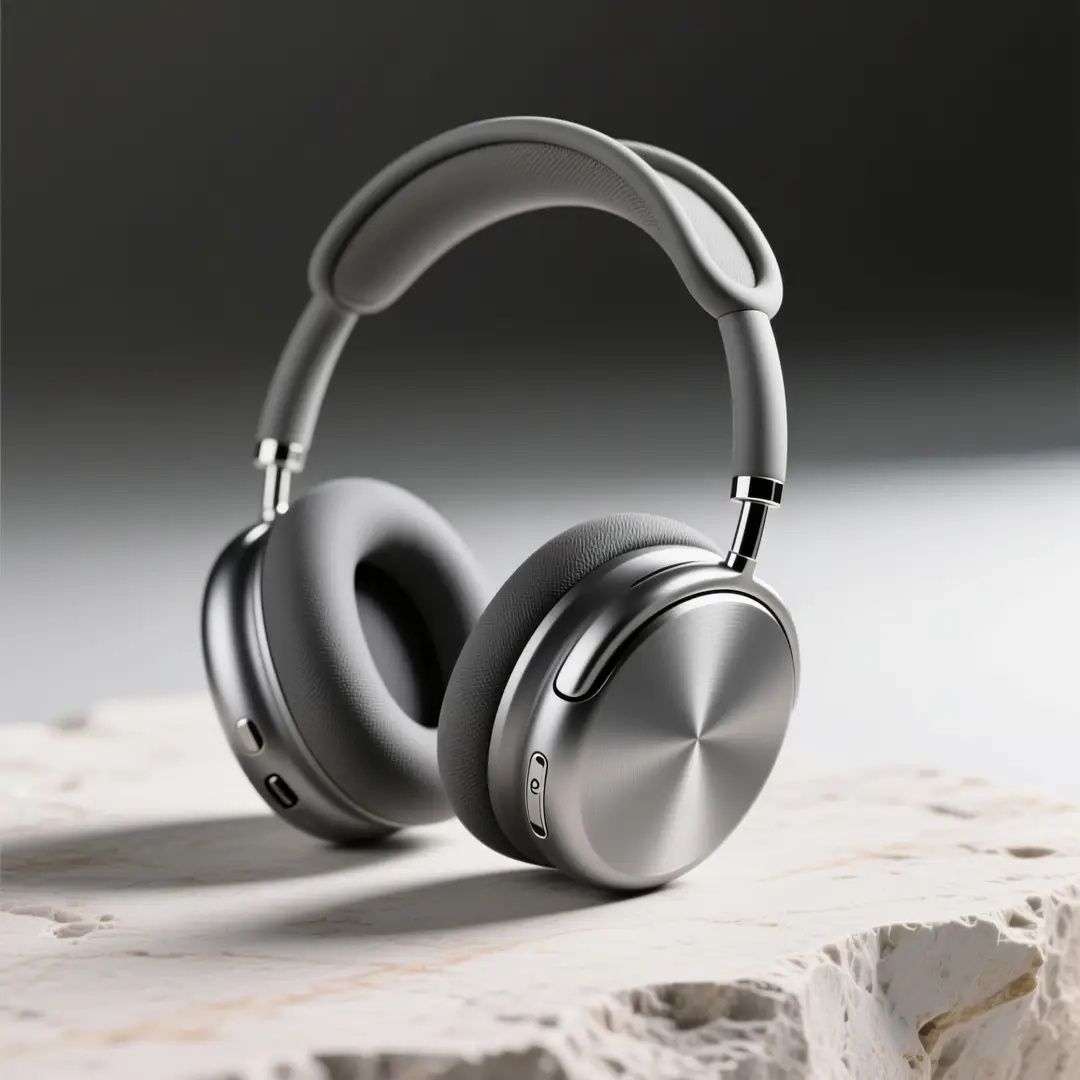
A crisp wireless over-ear headphones product hero shot with intentional material selections and a luxury color palette.

Premium Wireless Headphones Product Hero Shot

提示詞公式

[product] + [materials] + [surface] + [light] + [brand mood]

查看提示詞細節展開

完整提示詞

Create a polished product hero shot for premium wireless over-ear headphones. Use a matte graphite frame, brushed aluminum accent details, a pale travertine stone surface, and soft directional studio lighting. Maintain an uncluttered, luxury-focused layout optimized for high-resolution brand presentations.

為什麼有效

Qwen Image 2 delivers its best results when your prompt clearly defines form, materials, and tone without adding unnecessary scene details.

預期輸出

A product-focused brand asset for presentation decks, concept reviews, or product launch prep.

提示

  • Keep the scene uncluttered when the product is your primary focus.
  • Explicitly note surface texture and material finishes for consistent, predictable results.
Editorial Photography

適合的提示詞方向

Perfect for editorial-style portrait concepts with polished styling and balanced color grading.

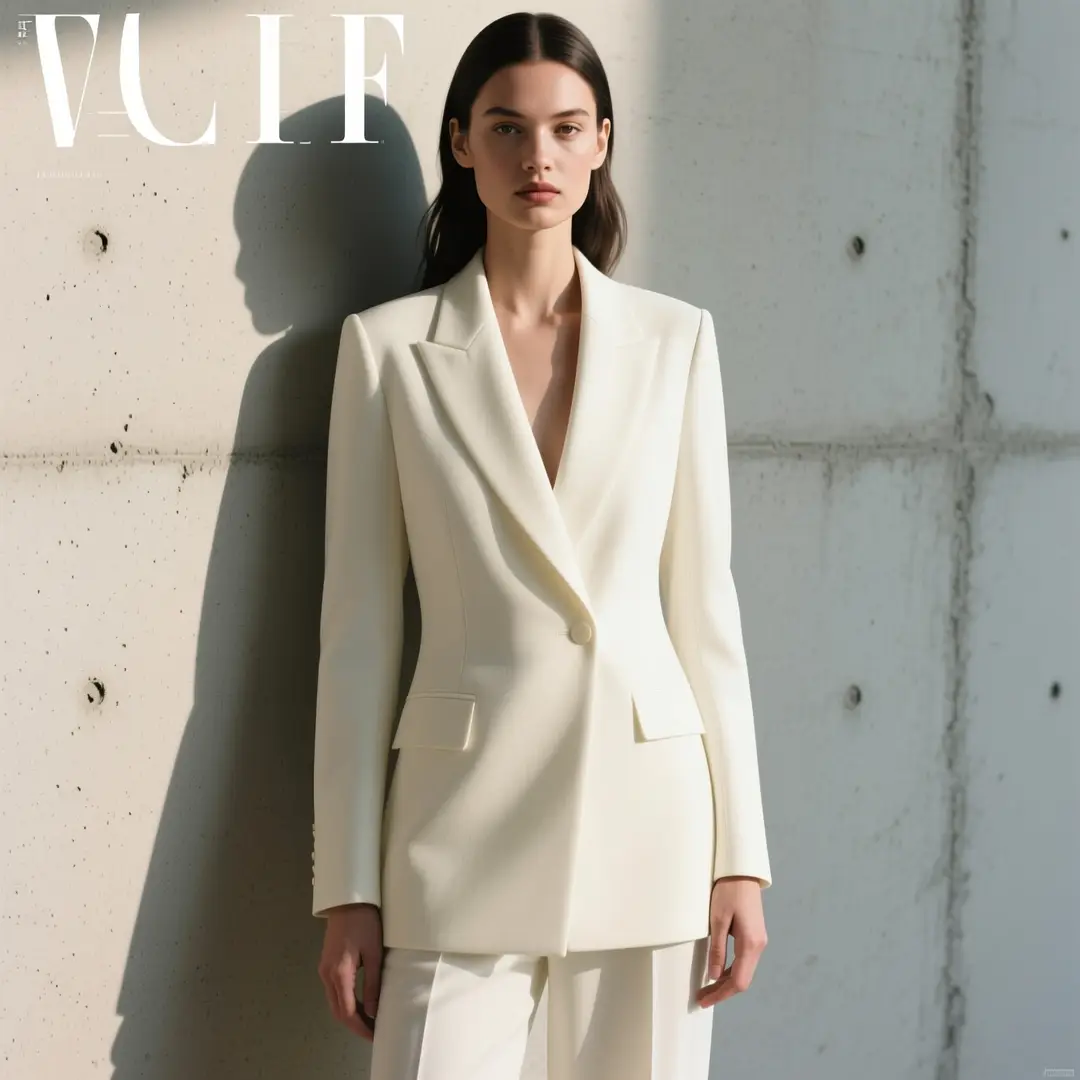
An editorial portrait concept with intentional styling, balanced color grading, and a detailed yet tightly controlled layout.

Editorial Portrait Concept

提示詞公式

[subject] + [wardrobe] + [setting] + [light] + [editorial tone]

查看提示詞細節展開

完整提示詞

Create an editorial portrait concept featuring a model in ivory tailored attire standing against pale polished concrete. Use soft side lighting, a calm, direct pose, understated styling, and a modern magazine aesthetic that delivers high-resolution, detail-rich results without feeling overly dramatic.

為什麼有效

This prompt establishes a single subject, clear wardrobe direction, and unified visual tone, which helps Qwen Image 2 create consistent, targeted outputs.

預期輸出

A detailed editorial concept for fashion or brand creative guidance reviews.

提示

  • Align your wardrobe and setting to a single cohesive aesthetic.
  • Avoid mixing conflicting editorial references to keep your results on track.
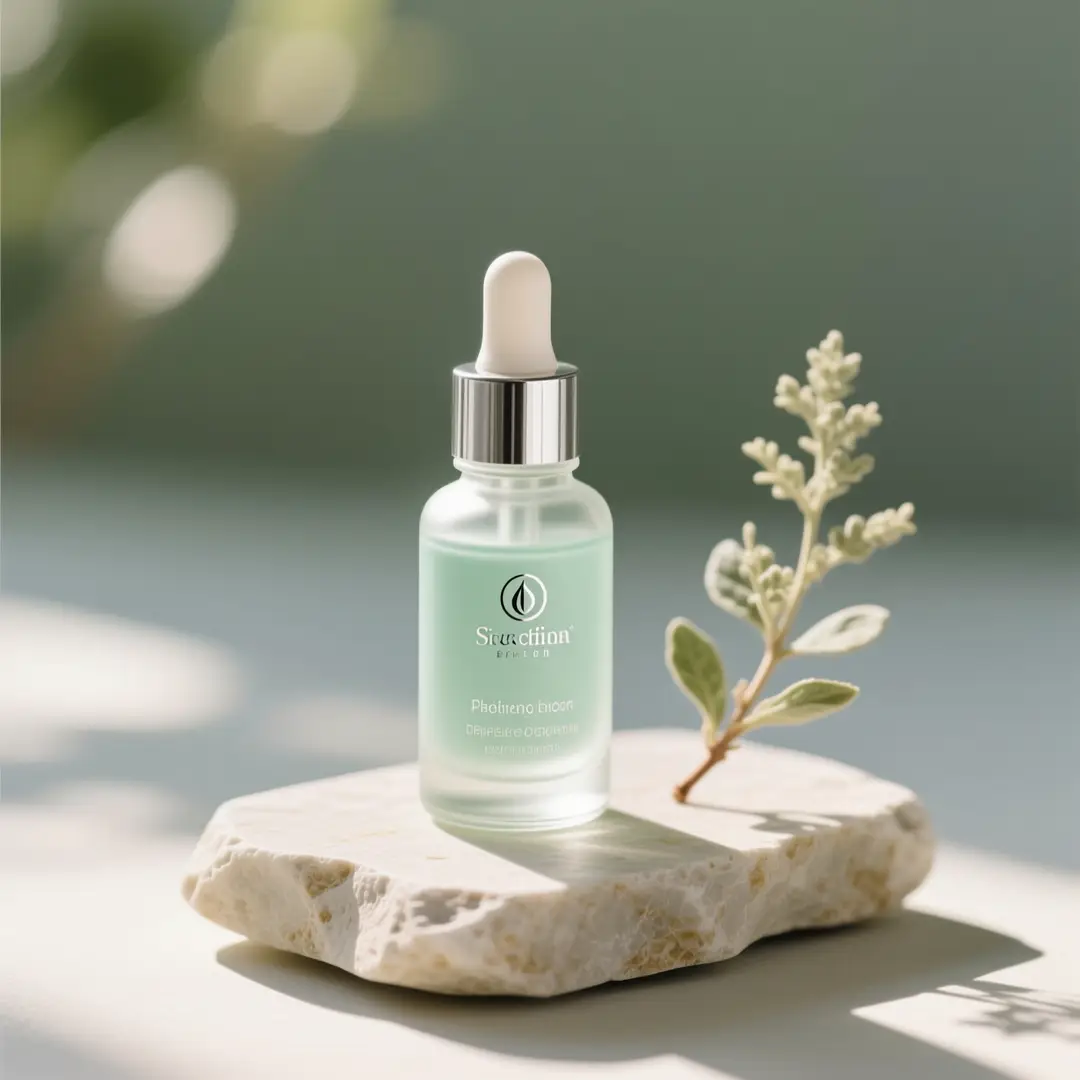
Beauty Campaign Photography

適合的提示詞方向

Ideal for beauty and product still lifes where precise surface details and a serene color palette are essential.

A beauty still-life concept with serene palette control and precise product rendering.

Beauty Still-Life Concept

提示詞公式

[beauty product] + [props] + [palette] + [light] + [campaign mood]

查看提示詞細節展開

完整提示詞

Create a beauty still-life concept for a clear glass serum dropper bottle with pale sage green accents, brushed silver hardware, and soft morning side lighting. Use a pale travertine stone surface, a single complementary botanical accent, and a serene luxury wellness mood optimized for high-resolution campaign creative planning.

為什麼有效

This product-focused prompt structure performs beautifully for beauty campaigns because the creative framework is built from clear subject, palette, and lighting decisions.

預期輸出

A detailed beauty campaign still life for product presentation decks and creative visual guidance.

提示

  • Lower prop count to keep the product front and center.
  • Include clear palette instructions to ensure your final image feels cohesive and refined.
Brand Campaign Concept

適合的提示詞方向

Perfect for stylized campaign concepts that balance product clarity and illustration-focused styling.

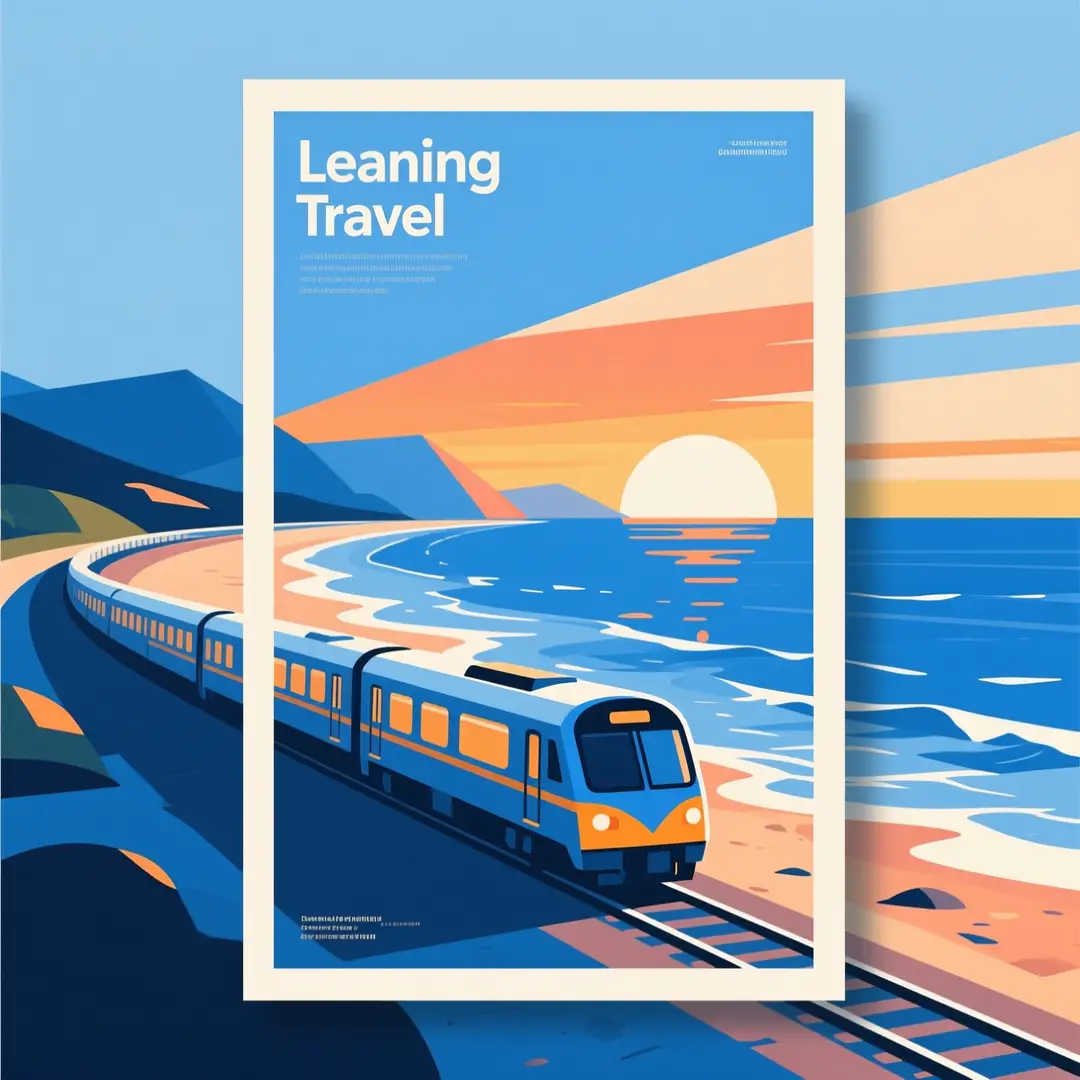
An illustration-style travel poster concept with a clear layout and rich, controlled detail.

Illustration-Style Travel Poster Concept

提示詞公式

[subject] + [destination or theme] + [visual style] + [palette] + [poster mood]

查看提示詞細節展開

完整提示詞

Create an illustration-style travel campaign poster concept for a scenic coastal train route. Use clean geometric shapes, layered ocean blue tones, warm sunset highlights, and a modern luxury travel aesthetic. Maintain a detailed, high-resolution image with a stronger graphic focus than photorealistic styling.

為什麼有效

Qwen Image 2 excels at prompt-led stylistic direction when your image vision is clear and your color palette is thoughtfully selected.

預期輸出

A stylized campaign concept for travel branding or poster creative guidance.

提示

  • Specify if you want the piece to lean toward graphic design or photorealistic styling.
  • Align your destination’s aesthetic and color palette for consistent, dependable results.
Critical Scenarios for Using Qwen Image 2

Choose Qwen Image 2 When Prompt-Led High-Resolution Control Matters More Than Navigating ComfyUI Complexity

Qwen Image 2 is the top choice when your prompt itself should lead most of your creative planning, final outputs need to stay crisp at higher resolutions, and a single reference image is sufficient.

Choose Qwen Image 2 When You Want Crisp, Detailed Results From a Streamlined Prompt-Led Workflow

Leverage this tool for high-resolution concepts, product photography, editorial layouts, and similar tasks where a single clear prompt serves as your primary creative guide.

Select a Different Model When Your Task Requires Other Strengths

Opt for GPT-4o when text clarity and layout are your top priorities, select Seedream if you’d prefer an alternative polished model family, and choose FLUX 2 if open-source deployment is a critical factor in your decision.

Creator Community Insights

Video Walkthroughs & Independent Critiques for Qwen Image 2

These videos showcase how creators use the Qwen image family in real hosted and local GGUF-style workflows. They help validate the top use cases for the model after reviewing the prompt examples shared earlier.

視訊範例

Open-Source Ecosystem

Curated Open-Source Resources for Qwen Image 2

Qwen Image 2 boasts a more robust public ecosystem than most hosted image models. These links let users explore the official release, review model weights, and learn when local or workflow-based usage is practical.

倉庫01

QwenLM / Qwen-Image

Official repository

The official Qwen Image source repository. It’s the core resource for release notes, inference guides, and public documentation for the Qwen image family.

4,431 星標
Apache-2.0
查看項目

倉庫02

Qwen / Qwen-Image on Hugging Face

Official model card

The official Hugging Face model card and weight listing for Qwen Image. It’s an excellent resource for verifying release artifacts and public weight accessibility.

0 星標
Open weight release
查看項目
FAQs

常見問題

Everything you need to know about Kling 4.0 Pro and our platform

What is Qwen Image 2?

The hosted Qwen image generation tool accessible right on this page is Qwen Image 2. It’s tuned for commercial-grade creative work and negative-prompt refinement, particularly if you’re after crisp, high-resolution outputs and a smooth, prompt-led creative workflow.

What use cases is Qwen Image 2 ideal for?

Qwen Image 2 excels for product photography, polished concept art, editorial photoshoots, illustration-driven campaigns, and similar tasks that demand crisp, detailed outputs without wading through a more convoluted ComfyUI workflow.

Can Qwen Image 2 work with image inputs on this page?

Without a doubt. This page’s image-to-image tool supports single reference image inputs, ideal for image-to-image adjustments where product branding, color palettes, or scene tone must match closely to an existing source asset.

What resolutions are supported by Qwen Image 2 on this site?

Qwen Image 2 supports 1024x1024, 1792x1024, and 2048x2048 on this platform. This page runs on the latest model configurations for its supported aspect ratios, with the full workflow centered on crisp, high-resolution final outputs.

What’s the best way to write stronger, more effective prompts?

The most impactful strategy for crafting stronger, more effective prompts is to be specific about your core subject, desired visual style, materials in use, and full composition. Qwen Image 2 performs best when your prompt is detailed and clearly structured, particularly if you want a single image to clearly communicate a refined high-resolution creative concept.

When should I choose Qwen Image 2 over GPT-4o and FLUX 2?

Pick Qwen Image 2 if you require a high-resolution hosted model with a distinct visual identity and a smoother prompt-led workflow. Choose GPT-4o if crisp, easy-to-read text is your primary focus. Go with Seedream if you’d prefer an alternative model family for refined product or interior visuals.

Does Qwen Image 2 work well for concept art and product visuals?

Absolutely. Qwen Image 2 shines at product concepts, editorial layouts, illustration-driven campaign visuals, and similar tasks that gain from exact, intentional prompt-led results.

Is it okay to use Qwen Image 2 generated images for commercial purposes?

If you plan to use Qwen Image 2 generated outputs for commercial projects, treat them the same as any other hosted model’s created assets before sharing them publicly. Whether your project is commercially feasible will depend on your specific use case, internal review guidelines, and the platform’s applicable terms of service.

Still have questions? Our support team is ready to help.

Join Discord
Alternative Model Options

Compare Qwen Image 2 Against Other Image Models on This Platform

If Qwen Image 2 isn’t the right fit for your needs, explore these model pages for stronger text handling, open-source deployment, or an alternative refined visual style.

GPT-4o AI Image Generator

Leverage GPT-4o when easy-to-read text and layout-focused editing matter more than strict prompt-led visual control.

查看模型

Z-Image AI Image Generator

Compare your options to Z-Image when open model weights, local deployment, and downstream customization are higher priorities.

查看模型

Seedream 4 Image Generator

Try Seedream 4 if you’d prefer an alternative hosted model family with a more commercially focused default output.

查看模型

FLUX 2 Image Generator

Compare against FLUX 2 if you’d like an alternative polished hosted tool for product, interior, and brand visuals.

查看模型

Begin Using Qwen Image 2 Today

Launch the generator tool, begin with a thorough prompt, and use Qwen Image 2 to create high-resolution prompt-led images right on this page.

Resources
  • Blog
  • Create
  • Scenes
  • Works
  • Prompts
  • Image to Prompt
  • Batch Image to Prompt
Company & Legal
  • About
  • Contact
  • Privacy Policy
  • Terms of Service
  • Refund Policy
Image Models
  • Z-Image
  • GPT-4o
  • Flux 2
  • Flux 2 Pro
  • Flux 2 Klein
  • Qwen Image 2
  • Seedream 4.0
  • Seedream 4.5
  • Seedream 5.0
  • Grok Imagine
  • Nano Banana Pro
  • Nano Banana Flash
  • Nano Banana 2
Video Models
  • Google Veo 3.1
  • Google Veo 3.1 Lite
  • Google Veo 3.1 Pro
  • Seedance 1.5 Pro
  • Seedance Fast
  • Seedance Quality
  • Seedance 2.0
  • Hailuo 02
  • Kling v2.6
  • Kling v2.5 Turbo
  • Kling v2.1
  • Kling v2.1 Master
  • Kling O1
  • Kling v3.0
  • Kling v3.0 Pro
LogoKling 4.0 AI

Powered by Kling 4.0 AI | Fast Video Generation | Professional Quality

TwitterX (Twitter)DiscordEmail

This website is an independent third-party service built around Kling-related workflows. We are not the official website of Kuaishou or Kling. Kling and related trademarks belong to their respective owners.

© 2026 Kling 4.0 AI All Rights Reserved. DREAMEGA INFORMATION TECHNOLOGY LLC